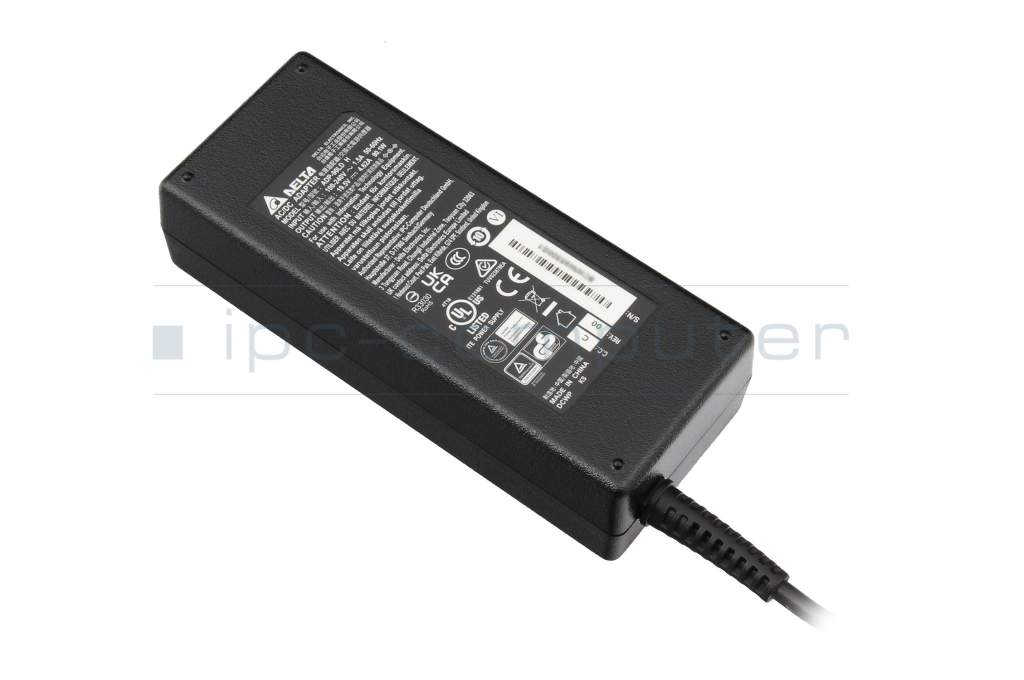
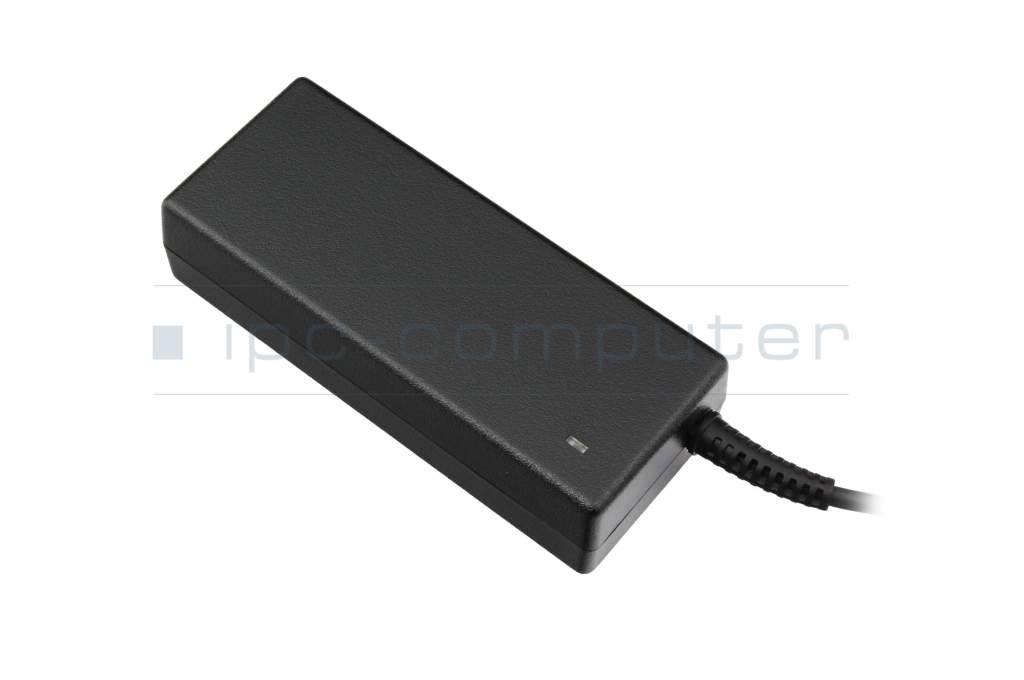
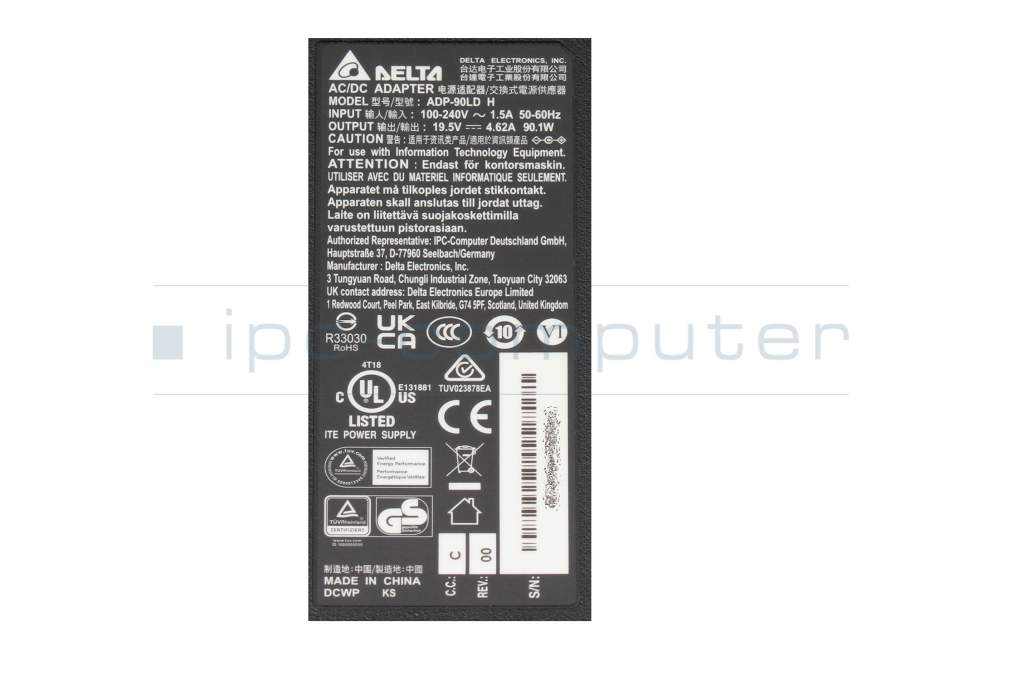
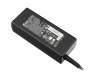
Fujitsu LifeBook AH530/HD6 AC-adapter 90.1 Watt from Delta Electronics

DELTA Original
35.31 $
incl. Tax (19%)
plus shipping charges
In stock.
Express shipping possible.

Common data

Condition
New
Manufacturer
Original directly from Delta Electronics
Intended use
Laptops
Color
black
Delivery includes
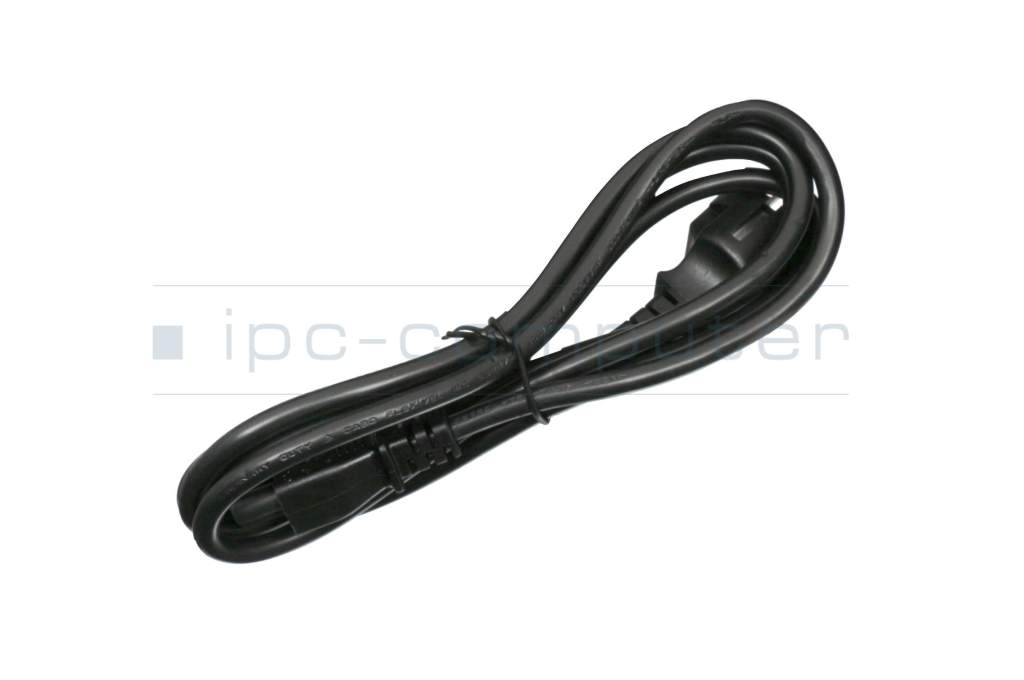
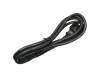
incl. power cable (3-pole cable C5)

Technical Data

Tension (volt)
19.5 Volt
Amperage (ampere)
4.62 Ampere
Output (watt)
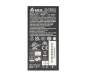
90.1 Watt
Input (volt)
100-240V / 50-60Hz
Energy efficiency
VI

Laptop Plug

Connector type / shape
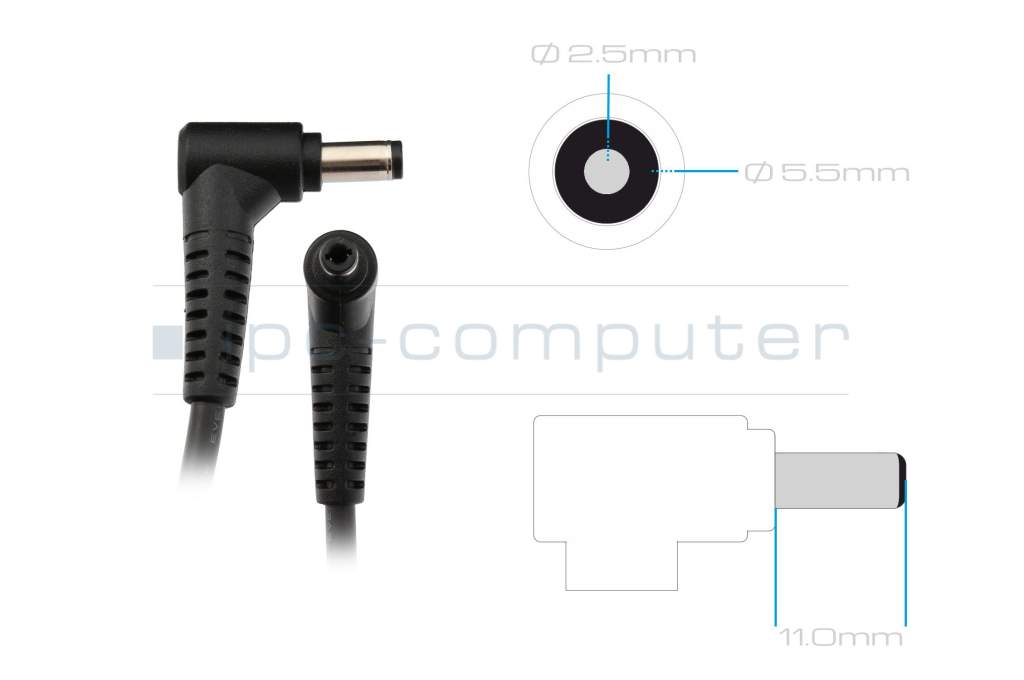
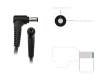
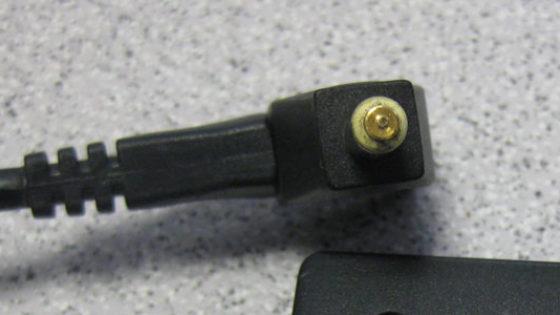
round / 90° angeld
Connector length (mm)
11.0 mm
Connector diameter outer / inner
5.5 mm / 2.5 mm
Connector with pin
No
Length of the connector cable (m) (ca.)
1.75 m

Weight & Meassurements

Length / Width / Hight
132 mm / 57 mm / 31 mm

More Information

Overload-, short-circuit- and overheat-protected
yes
Seal of approval
CCC
CE
Technical Inspection Association (TÜV)
TÜV Argentina Certificado
UKCA
UL Listed

Category

Category
AC-Adaptor
Usage
Laptop

Videos & Contributions

Power socket defective due to a replacement power supply unit

Power socket defective due to a replacement power supply unit

During one of our last repairs we had to find out that an inferior power supply was causing the damage. We therefore recommend that you use an original high-quality power supply.
Learn more >

Recognize defective notebook power supply - purchase advice

Notebook power supplies are essential for most technical aids in the office and at home. - With these "step-by-step" instructions we help to prevent bad purchases.

Learn more >

Important and useful informations about laptop AC adapters

Blog posts and links to this article

Frequently asked questions about AC adapters

  • How do I find the right power supply unit in the IPC Shop?

    It's very easy - in just a few steps:

    1. Enter your laptop model:
      Enter the exact model of your laptop in the search field at the top of the IPC Computer website (e.g.Lenovo ThinkPad T14 or HP ProBook 450 G7).
    2. Select the power supply unit product group:
      In the results list, you will find the power supply units directly after the batteries.
    3. Compare performance:
      If your model is offered with several power supply units (e.g. 65 W or 90 W), take the power supply unit that has the same output as your previous power supply unit.
      - This output is usually written on the old power supply unit in the "Output" line (e.g. 19.5 V - 3.34 A = 65 W).
    4. No more old power supply unit?
      No problem: Look on the bottom of your laptop for the entry "DC Rating"or "Input " - there you will find the voltage (V) and current (A). These values give you the required power (V × A = W).
    5. Select original:
      In our store, you will only be shown original power supply units that are an exact technical match for your model. This means you are on the safe side when it comes to performance and compatibility.

    Tip: If you are unsure, you can also send the name of your device or photos of the rating plate of the old power supply unit to our service team - we will help you find the right power supply unit free of charge.

  • My battery is no longer charging. What could be the reason?

    If your laptop battery no longer charges, this can have various causes. Often the problem is not with the battery itself, but with the AC adapter, the charging electronics or the software settings.

    Possible reasons:

    • The AC adapter or cable is defective or not connected correctly.
    • Contacts or plug connections are loose or dirty.
    • An outdated BIOS or faulty drivers are impairing the charging function.
    • The battery is actually defective and should be replaced.
    • The charging electronics in the laptop are defective.
    • A battery protection mode is active in Windows or in the BIOS that limits charging.
    • The power socket is defective and often has a loose contact when the plug is moved, or it is located unusually deep in the device.
  • My laptop is not charging with the USB-C power adapter. What is the reason for this?

    If your laptop does not charge via USB-C, this is usually not due to a defect, but to compatibility or performance problems. USB-C uses the power delivery standard (USB-PD), which must be supported by both devices.

    The most common causes:

    • Too little power: For example, your power supply only delivers 45 W, but your laptop requires 65 W or more.
    • Unsupported protocol: The power supply or laptop do not speak the same USB PD standard.
    • Poor or defective USB-C cable: Not every cable transmits the required power - especially with fast charging functions.
    • Dirty or damaged USB-C port: Dust or scratches in the port prevent a stable connection.
    • Firmware or BIOS settings: Some manufacturers disable USB-C charging in the BIOS or limit it in case of overheating.

    Troubleshooting tips:

    1. Power supply check: Always use a USB-C power supply with sufficient power and USB-PD certification.
    2. Cable test: If problems occur, test another certified cable.
    3. System reset: If the laptop is still not charging with the original USB-C power adapter, a BIOS update or a brief power reset (disconnect the battery and power adapter, press and hold the power button for 30 seconds) will often help.

    Caution: You can tell that charging is working if the charging indicator reacts immediately and the power supply unit clicks or hums briefly. If this does not happen, there is almost always a compatibility problem.

  • What happens if you use the wrong charger?

    This depends on how wrong the charger is - but the basic rule is: a wrong power supply can seriously damage your laptop.

    Possible consequences:

    • Insufficient power (watts): The laptop only charges very slowly or not at all, switches off under load or, in the worst case, the AC adapter overheats.
    • Voltage (volts) too high or too low:Electronic damage to the mainboard or battery may occur - in some cases immediately, in others only after some time.
    • Incorrect plug or polarity: The device receives no power or short circuits occur or the power socket is damaged (e.g. PIN breaks).
    • Non-certified replica power supplies: They often supply inaccurate voltages, use inferior components and can therefore overheat, melt or even cause fires.

    With USB-C devices with the Power Delivery standard, the risk is lower as the laptop and charger automatically negotiate how much voltage is allowed to flow. A non-compatible AC adapter will usually simply not charge - the only danger here is with cheap replicas without PD certification.

    Conclusion:
    The wrong charger can lead to anything from harmless charging errors to permanent device damage. For maximum safety and a long service life of your laptop, you should always use an original AC adapter for your laptop. The easiest way to find this is to search for the laptop model in the IPC Shop.

  • What makes a GaN AC adapter special?

    Inside a AC adapter are components that convert the mains voltage (e.g. 230 V) into the right voltage for your laptop. GaN AC adapters use gallium nitride semiconductors for this purpose.

    This has several advantages:

    1. Smaller & lighter
      • For the same output power (e.g. 65 W, 100 W or 240 W), a GaN AC adapter can be built much more compactly.
      • Ideal for on the go, in the home office or if you have little space in your bag.
    2. Higher efficiency, less waste heat
      • GaN components work more efficiently, so less energy is lost in heat.
      • Although the AC adapter does get warm under load, it generally runs more smoothly and can be more durable.
    3. High performance in a small space
      • Very powerful AC adapters (e.g. 100 W, 240 W) are also possible with GaN in a relatively small form factor .
      • This is exciting if you want to operate a powerful laptop, a docking station or several devices with one AC adapter.

    Important: GaN power supplies are currently still somewhat more expensive than conventional laptop power supplies. The combination of compact form factor and proven quality makes them an attractive choice for many customers.

  • Why are different power supply units listed for my laptop model - which one should I order?

    For many laptop models, several suitable AC adapters are displayed in the store. This is normal and has technical reasons, but can quickly lead to uncertainty ("Which one is the right one?").

    Basically, all AC adapters displayed for your device are compatible, but differ in terms of

    • Output (watts): e.g. 45 W, 65 W, 90 W, 120 W, 180 W ...
    • Connection type: classic round plug, proprietary plug, USB-C etc.
    • Design & technology: compact, flat, GaN technology

    What is GaN?
    GaN stands for gallium nitride -a modern semiconductor material. GaN AC adapters can be

    • besignificantly smaller and lighter
    • often work more efficiently (less heat loss)
    • are therefore ideal for traveling or if you simply want a more compact AC adapter

    Technically, they fully replace classic power supplies. The only important thing is that the power (watts) and connection type match your laptop.


    How to choose the right AC adapter

    1. pay attention to the power (watts)

    • Check your old AC adapter: Look for the power rating in watts (W)
    • If only volts (V) and amps (A) are specified, you can calculate it:

    Volt × Ampere = Watt

    Recommendation:

    • A power supply with the same wattage is a safe 1:1 replacement
    • You should avoid using a power supply with less watts than your original - the device may become unstable or the battery may only charge very slowly.

    2. round plug or USB-C / Power Delivery (PD)?

    In the past, most laptops were only supplied with a classic round plug power supply. Today, many models also support charging via USB-C with Power Delivery (PD) - even if a round plug power supply was included in the original scope of delivery.

    This means for you:

    • If your laptop has a USB-C port with charging/PD support, you can in many cases
      charge it with a suitable USB-C power adapter, even if a round plug power adapter was originally included.
    • Prerequisite:
      • the USB-C port on your laptop supports charging/PD
      • the USB-C power supply provides enough watts (at least as much as your original power supply or as recommended by the manufacturer)

    Advantages of USB-C / PD AC adapters:

    • Often more universally applicable (laptop, tablet, smartphone, docking station)
    • Usually more compact and lighter in combination with GaN technology
    • Ideal for traveling or mobile working

    If you don't feel like experimenting, simply stick with the plug type of your current power supply (e.g. classic round plug). If you want to be more modern and flexible, you can consciously switch to a USB-C PD power supply - provided your device supports USB-C charging.

  • Why is my AC adapter humming?

    Modern laptop AC adapters are so-called switching AC adapters - they work with very high switching frequencies and should function practically silently. If you still hear a humming, hissing or whirring noise, this is not normal and often indicates a technical defect or inferior components.

    Typical causes are

    • loose or poorly potted coils and capacitors,
    • incorrect switching frequency or inadequate filtering,
    • component wear or voltage problems in the mains supply.

    Such noises hardly ever occur with original AC adapters as they undergo strict quality and safety tests. Replica AC adapters, on the other hand, often use simple components without sufficient interference suppression - here, humming or hissing is a clear warning sign.

    Important: If an AC adapter hums or hisses audibly, stop using it!

    Disconnect it from the AC adapter immediately and dispose of replica AC adapters immediately, as they can pose a safety risk. Only use original AC adapters to ensure a stable, quiet and safe power supply for your laptop.

  • Why should I buy an OEM Delta power supply from IPC-Computer?

    With Delta power supply units, you get quality from the world market leader - and with us, several advantages at once:

    • Worldwide proven manufacturer:
      Delta Electronics has been producing power supply units for all major laptop brands such as HP, DELL, Lenovo, ACER, Asus etc. for years. So you get technology that all the manufacturers themselves trust.
    • Tested compatibility:
      Every Delta power supply unit on offer has been tested by us for 100% compatibility with the respective laptop models and fully replaces your original power supply unit.
    • Direct importer = strong price:
      We source Delta power supplies directly from the manufacturer - without any detours. This gives you the best prices for original quality.
    • Fast delivery & ready for immediate use:
      Orders placed by 3 p.m. are usually dispatched on the same day. The matching power cable is already included - plug it in and get started.
    • 24-month warranty:
      All Delta power supplies that we sell come with a 2-year IPC Computer warranty - including German support.
    • Volume discounts for professionals:
      We offer attractive discounts and our own dealer program for larger quantities (e.g. for companies, schools or IT dealers).

    If you are looking for a high-quality, attractively priced and absolutely reliable replacement power supply unit, OEM Delta power supply units are the ideal choice.

    View Delta power supply units directly at the direct importer IPC-Computer

  • Why should you buy power supply units from IPC-Computer?
    • Huge selection & availability
      With over 100,000 laptop power supplies in stock, we can supply practically any laptop power supply.
    • Only original quality
      We only stock high-quality original power supplies directly from manufacturers such as Acer, Asus, Dell, Fujitsu, HP, Lenovo etc. - no risky no-name replicas or gray goods.
    • Top prices thanks to direct procurement
      Thanks to direct procurement and bulk purchasing, we can offer you very fair prices with full quality .
    • Ready for immediate use
      Every power supply comes with a free EU charging cable - unpack it, plug it in and you're done - at no extra charge!
    • Fast shipping
      If you order by 2 p.m., we will usually ship your power supply unit on the same working day. Many customers have it in their hands the very next day.

    This means you get exactly the right power supply unit for your laptop quickly and reliably - without having to experiment.

    Find suitable laptop power supply units in the IPC-Computer Shop.

  • Why should you only use original AC adapters and not replica AC adapters?

    Many years of experience in laptop repair clearly show that you should use original AC adapters or tested branded AC adapters wherever possible and not cheap replicas because:

    • Safety:
      High-quality AC adapters have tested protective circuits and deliver a stable voltage. Cheap replicas often cut corners here - in the worst case, this can damage the electronics or the battery.
    • Compatibility:
      Original AC adapters are precisely matched to your device (voltage, power, plug, recognition by the lapptop). With "any" replicas, problems such as "power supply is not recognized", "does not charge properly" or performance drops under load occur more frequently.
    • Reliability:
      A good power supply should simply work inconspicuously. Original or OEM power supplies are generally more durable and fail-safe than very cheap no-name products, which often lack quality and final inspection.
    • Cost-effectiveness:
      The surcharge for an original AC adapter is significantly lower than the costs for a possible repair of the mainboard, charging electronics or battery. You also save yourself the hassle of returns and incorrect purchases.

    The bottom line is that an original or OEM AC adapter is often a little more expensive, but you get maximum safety, full compatibility and less risk - and that is precisely what is crucial for a safety-relevant component such as the power supply unit.

    → In the Store section "AC adapters for laptops" you will find a large selection of original and tested quality AC adapters.

  • Will my battery charge faster with an AC adapter that has more power?

    No, just because the AC adapter has more watts, your battery will not automatically charge faster. The decisive factor is the power required by your laptop and the permissible power of the charging electronics - not the maximum power of the AC adapter.


    How does charging work technically?

    • Every laptop has built-in charging electronics that regulate exactly
      • how much current flows into the battery and
      • how quickly or gently the battery is charged.
    • The AC adapter only provides the maximum possible power - it does not "force" this power into the laptop.
    • Your laptop only "takes" as much power as it is designed for.

    This means:
    If your laptop is only designed for 65 W, for example, a 90 W or 120 W AC adapter alone will not provide a turbo charging. The device limits the charging current itself.

All questions about AC adapters

loader