HP HSN-IX02 USB-C G5 Essential Dock EMEA incl. 120W Netzteil







Substitute part numbers:
N31329-001
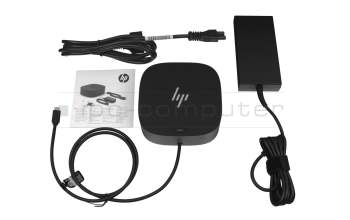
5TW10AA#ABB HP USB-C Dock G5 EURO incl. 120W ac-adapter
plus shipping charges
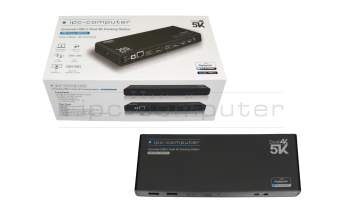
PRIPC1 IPC-Computer Dual 4K Hybrid-USB Docking Station incl. 130W ac-adapter
plus shipping charges
Product Info
- Manufacturer
- HP
- Item Number
- HSN-IX02
- Sub-Partnumbers
- N31329-001,
- Safety information
- Sicherheits- & Herstellerkontakt-Informationen
Common data
- Condition
- New
Technical Data
- Connexion to the laptop
- USB-C 3
- Connectors
-
1x Audio-Combo
1x Ethernet (RJ-45)
1x HDMI 2.0
1x Kensington-Lock
1x USB-C
1x USB-C 3.1 Gen 2
1x USB-C 3.2 Gen 2 + DisplayPort
2x DisplayPort 1.4
2x USB-A 3.2 Gen 1
2x USB-A 3.2 Gen 1 + PowerShare
4x USB-A 3.2 Gen 1 - Max. resolution of external monitors
-
1x 4K2K - 4096x2160
2x WUXGA - 1920x1200
3x UHD - 3840x2160
3x WUXGA - 1920x1200 - Delivery includes
-
AC-Adapter
Documentation
Installation manual
Port Replicator
Power cable - Included ac-adaptor
- 120W
- Compatible operating systems
-
ChromeOS
Linux / Ubuntu
Mac OS
Windows 10 (32bit/64bit)
Windows 11
Windows 7 (32bit/64bit)
Windows 8 (32bit/64bit)
Windows 8.1 (32bit/64bit) - Length / Width / Hight
- 12 cm / 12 cm / 4.5 cm
HP USB-C G5 Essential Dock
(Model 72C71AA#ABB)
- Product Family: Budget or "Essential" Model
- Max. Power Delivery: Up to 65 watts via USB-C to the laptop
- Power Supply (Adapter): 120 W external power adapter
- Video Connections:
- 2x DisplayPort 1.4
- 1x HDMI 2.0
- USB Ports (Front):
- 1x USB-C® 3.2 Gen 1 (5 Gbps data + 15W PD Out)
- 1x USB-C® cable to host (permanently connected)
- USB Ports (Side/Rear):
- 2x USB-A 3.2 Gen 1 (5 Gbps, with charging function)
- 2x USB-A 3.2 Gen 1 (5 Gbps, without charging function)
- Network Port: 1x RJ-45 (Gigabit Ethernet)
- Audio Port: 1x 3.5mm combo jack (microphone/headphones)
- Security Port: 1x Kensington lock slot
Focus on the essentials and seamlessly connect your HP USB-C Essential G5 Dock to your notebook.
Simplify your device management at home or in the office.
This essential docking station seamlessly delivers power and supports 4 USB-A ports for all your accessories and up to 3 high-resolution displays and provides a stable Ethernet connection - all while delivering 65W of power to your notebook.
* Compact design at only 12.7 x 12.7 cm
* PXE boot - boot computers via a network interface
* LAN/WLAN switching - automatically switch between Wlan/Lan
* In-Band MAC Address Pass-Through - Access the laptop's in-band MAC address via MAC Address Pass-Through (MAPT)
Compatibility (* Compatible with most USB-C or Thunderbolt enabled laptops):
Tested and supported on G8/G9 HP notebooks, Apple MacBook Air Retina 2020, Google Pixelbook Go, Google Pixlebook Go 2, Apple MacBook Pro M1 2020, MacBook Air M1 2020 and Dell Latitude 7420. For future HP models, please visit the support website.
Support for external monitors:
Up to 3 displays are supported, depending on the capabilities of the host device. Triple 4K displays require a DisplayPort 1.4 device with Display Stream Compression. If the system does not support Display Stream Compression, it must support DisplayPort 1.4 with High-Res mode enabled.
Category
- Category
- Dockings
- Usage
- Laptop
- Excerpt of suitable models for P/N HSN-IX02
- HP Spectre x360 14-ea1000 , HP Envy 14-eb1 , HP Elite x2 G8 , HP EliteBook 865 G9 , HP ProBook 445 G9 , HP Envy 17t-ce000 CTO , HP Envy x360 15z-ee000 , HP Envy 17-ch1000 , HP Chromebook 11 G9 , HP Pavilion Plus 14-eh0000
You've found this article over a part number. We'll check if it's the correct sparepart for your machine. To do this, please insert the manufacturer and the name of the model in the order comment.
Videos & Contributions
HP G4 & G5 Docking Station Review
Review of the HP G4 & HP G5 - Thunderbolt 4/USB-C Docking Station
Learn more >Using a laptop with a dock even when it is folded down
In this quick tip we show how you can work with a docking station and an external monitor even when your laptop is folded down.
Learn more >Which USB dock connector do I need for my notebook?
To choose the right docking station for your notebook, you should know which USB port you need. In this video, we will go into the differences and special features of the USB ports.
Learn more >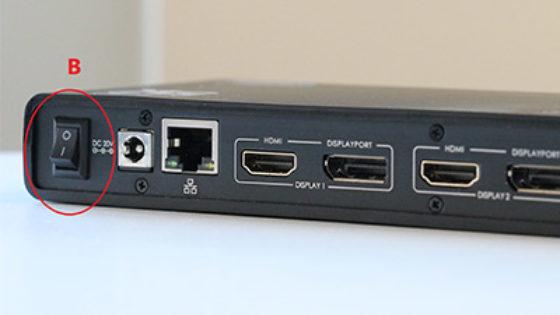
The "secret" with the power button
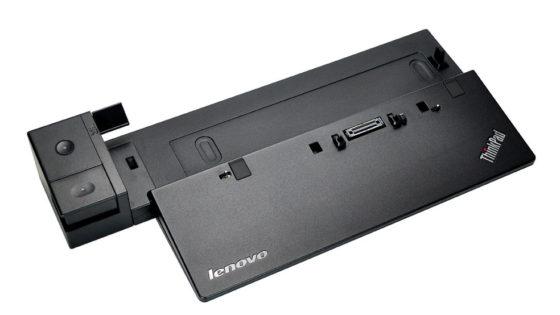
Docking station vs. port replicator

The power button does not activate the notebook?
Important and useful informations about laptop Docking stations
Frequently asked questions about Docking stations
All questions about Docking stations
Docking stations FAQ
Accessories, suitable alternative products and recommendations
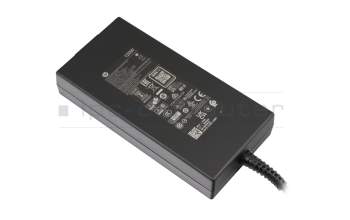
L41856-001 original HP AC-adapter 120.0 Watt slim
plus shipping charges
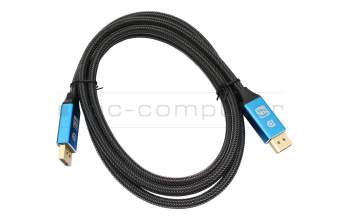
IPC-Computer KA001I 8K DisplayPort to DisplayPort
plus shipping charges
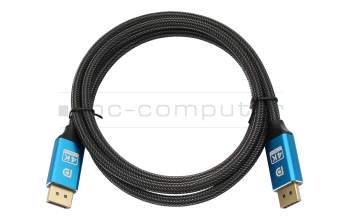
IPC-Computer KA002I 4K HDR DisplayPort to DisplayPort
plus shipping charges
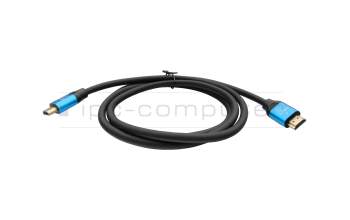
IPC-Computer KA003I 4K HDMI to HDMI
plus shipping charges