Precision Pen AES 2.0 original suitable for Lenovo ThinkPad X1 Titanium Yoga 1st Gen (20QA/20QB)



10324$
incl. Tax (19%)
plus shipping charges
plus shipping charges
In stock.
- Standardlieferung 18. September - 22. September
- Expresslieferung 17. September
- bei Bestellung innerhalb 11 hrs 03 min




Common data
- Condition
- New
- Color
- gray
Technical Data
- Pen protocol
- AES 1.0 Wacom / AES 2.0 Wacom
- Weight (g)
- 11 g
- Length (cm)
- 15 cm
- Diameter (mm)
- 9.5 mm
- Number of buttons
- 3
- Pressure levels
- 4096
- Bluetooth
- yes
- Power supply
- Battery
- Operating system
- Windows 10 / Windows 11
The Lenovo Precision Pen is a high-quality stylus for precise writing, drawing and creative work. With 4096 pressure levels and tilt detection, it offers a particularly natural writing experience - ideal for notes, sketches and digital art. Thanks to Bluetooth connectivity, long battery life and programmable buttons, it also increases productivity.
Highlights & features
- 4096 pressure sensitivity levels for precise work
- Tilt detection for realistic shading
- Nearly instantaneous writing & drawing
- 3 configurable shortcut keys for efficient working
- Bluetooth connection for flexible use
Up to 400 days battery life (depending on use)
Technical specifications
- Pen protocol: AES 1.0 / AES 2.0 (Wacom)
- Pressure levels: 4096
- Number of buttons: 3
- Bluetooth: Yes
- Power supply: Battery
- Operating system: Windows 10 / Windows 11
- Length: approx. 15 cm
- Diameter: 9.5 mm
- Weight: approx. 11 g (without battery)
Conclusion:
The Lenovo Precision Pen combines precise technology, long battery life and intuitive operation - perfect for anyone who wants to work productively or create.
Category
- Category
- Pens / Stylus
- Usage
- Laptop
Videos & Contributions
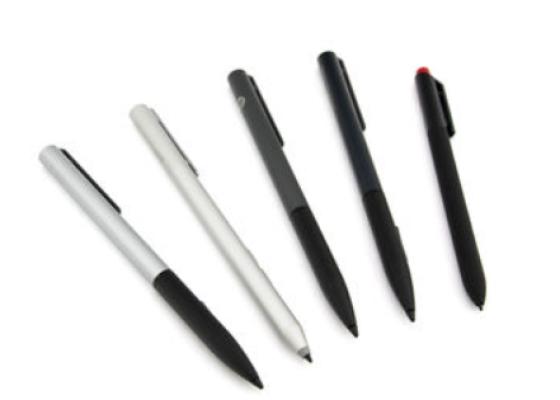
How do styluses work and what should be considered?
Using a pen to operate the touchscreen is a convenient feature. But not every pen works with every notebook or tablet. You have to pay attention to these features.
Learn more >
