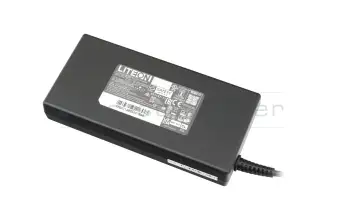
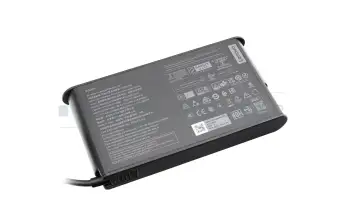
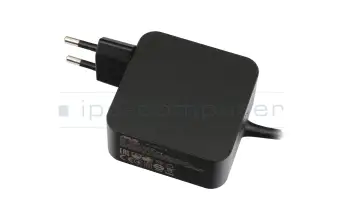
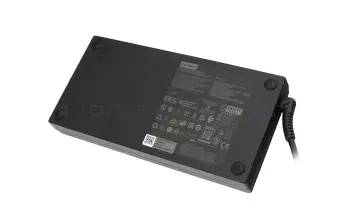
AC Adapters for laptops are best bought at the distributor

Your advantages when buying AC Adapters at IPC-Computer

  • AC Adapter sale since 1999
  • Our aspiration: To be able to list original laptop AC Adapter in our shop and deliver it from stock immediately
  • This helped us create a huge laptop spare part warehouse with currently over 20,000 in-stock power supplies
  • Best Prices: Direct relations to the manufacturers ACER, ASUS, DELL, FUJITSU, HP, LENOVO etc.
  • A suitable EU charging cable is included in every order

  • Order the suitable AC adapter with the IPC AC Adapter Finder. You can find the right power supply from more than 120,000 with ease 
  • If you can't find it through the manufacturer or the model, you can also look for the technical features such as Watt, mAh, plug dimensions, size, design etc. in the AC Adapter Finder - It doesn't get any easier!
  • IPC-Computer Solution-Finding - If the power supply purchase does not lead to success, our technicians will help
  • Customer satisfaction is our first priority - A look at our reviews or our guestbook confirms this back to the year 2004
[Translate to Englisch:] Notebook Netzteile

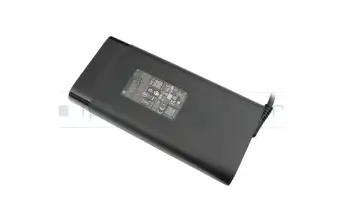
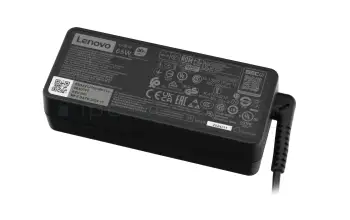
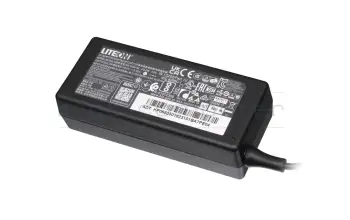
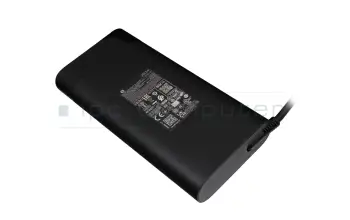
The most popular notebook power supplies

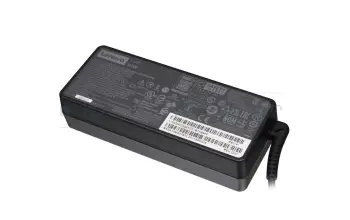
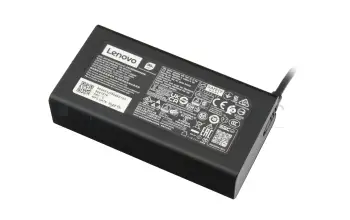
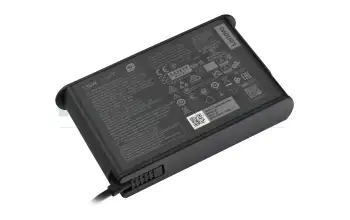
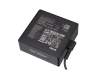
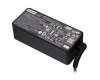
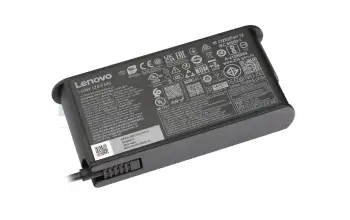
4X20M26272 original Lenovo USB-C AC-adapter 65.0 Watt normal
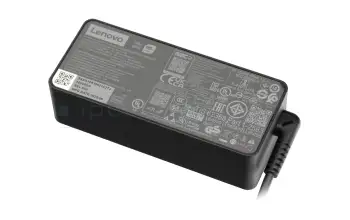
4X20M26272 original Lenovo USB-C AC-adapter 65.0 Watt normal
In stock
41.73 $
incl. Tax (19%)
plus shipping charges

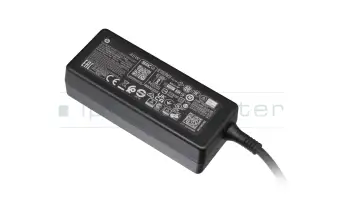
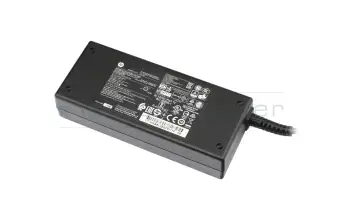
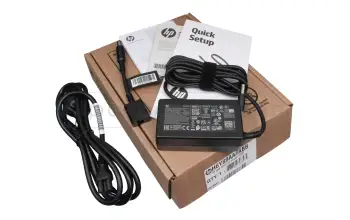
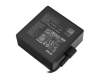
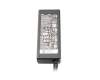
693711-001 original HP AC-adapter 65.0 Watt normal 19,5V

693711-001 original HP AC-adapter 65.0 Watt normal 19,5V
In stock
41.73 $
incl. Tax (19%)
plus shipping charges

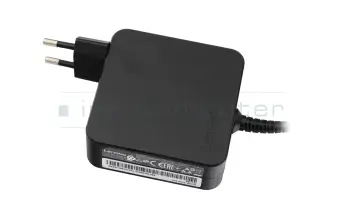
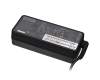
01FR150 original Lenovo AC-adapter 65.0 Watt EU wallplug

01FR150 original Lenovo AC-adapter 65.0 Watt EU wallplug
In stock
41.73 $
incl. Tax (19%)
plus shipping charges

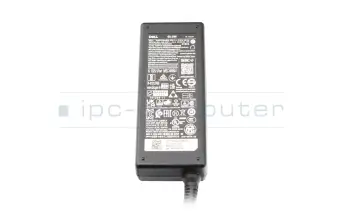
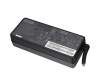
01P49R original Dell USB-C AC-adapter 65.0 Watt

01P49R original Dell USB-C AC-adapter 65.0 Watt
In stock
49.22 $
incl. Tax (19%)
plus shipping charges

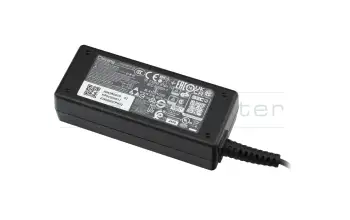
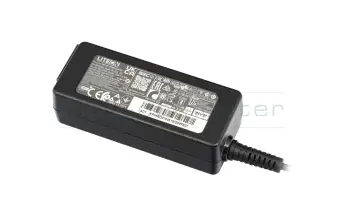
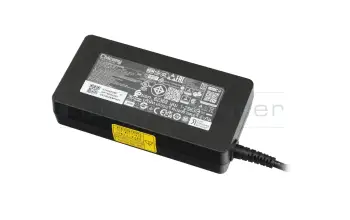
KP.06503.018 original Acer AC-adapter 65.0 Watt small

KP.06503.018 original Acer AC-adapter 65.0 Watt small
In stock
38.52 $
incl. Tax (19%)
plus shipping charges

SA10M42747 original Lenovo AC-adapter 65.0 Watt

SA10M42747 original Lenovo AC-adapter 65.0 Watt
In stock
46.01 $
incl. Tax (19%)
plus shipping charges

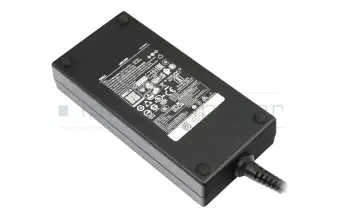
0CW1FP original Dell USB-C AC-adapter 130.0 Watt

0CW1FP original Dell USB-C AC-adapter 130.0 Watt
In stock
80.25 $
incl. Tax (19%)
plus shipping charges

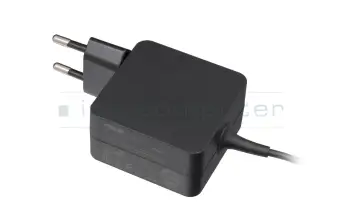
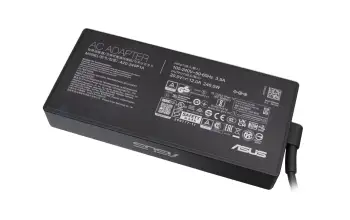
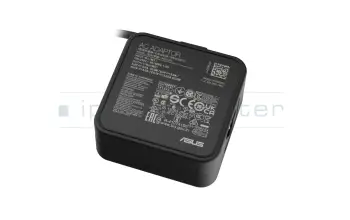
0A001-00895100 original Asus AC-adapter 65.0 Watt EU wallplug normal

0A001-00895100 original Asus AC-adapter 65.0 Watt EU wallplug normal
In stock
37.45 $
incl. Tax (19%)
plus shipping charges

A18-045N2A original Acer AC-adapter 45.0 Watt

A18-045N2A original Acer AC-adapter 45.0 Watt
In stock
38.52 $
incl. Tax (19%)
plus shipping charges

5A10H42925 original Lenovo AC-adapter 45.0 Watt EU wallplug rounded

5A10H42925 original Lenovo AC-adapter 45.0 Watt EU wallplug rounded
In stock
37.45 $
incl. Tax (19%)
plus shipping charges

5A10W86289 original Lenovo AC-adapter 300.0 Watt large

5A10W86289 original Lenovo AC-adapter 300.0 Watt large
In stock
89.88 $
incl. Tax (19%)
plus shipping charges

5A10W86297 original Lenovo USB-C AC-adapter 135.0 Watt rounded

5A10W86297 original Lenovo USB-C AC-adapter 135.0 Watt rounded
In stock
63.13 $
incl. Tax (19%)
plus shipping charges

741727-001 original HP AC-adapter 45.0 Watt normal

741727-001 original HP AC-adapter 45.0 Watt normal
In stock
59.92 $
incl. Tax (19%)
plus shipping charges

GX20Z46271 original Lenovo AC-adapter 135.0 Watt slim

GX20Z46271 original Lenovo AC-adapter 135.0 Watt slim
In stock
55.64 $
incl. Tax (19%)
plus shipping charges

0A001-01103500 original Asus AC-adapter 45.0 Watt small

0A001-01103500 original Asus AC-adapter 45.0 Watt small
In stock
58.85 $
incl. Tax (19%)
plus shipping charges

36200287 original Lenovo AC-adapter 90.0 Watt

36200287 original Lenovo AC-adapter 90.0 Watt
In stock
52.43 $
incl. Tax (19%)
plus shipping charges

4X21L38742 original Lenovo AC-adapter 230.0 Watt small

4X21L38742 original Lenovo AC-adapter 230.0 Watt small
In stock
73.83 $
incl. Tax (19%)
plus shipping charges

90XB05TN-MPW020 original Asus AC-adapter 45.0 Watt EU wallplug normal

90XB05TN-MPW020 original Asus AC-adapter 45.0 Watt EU wallplug normal
In stock
38.52 $
incl. Tax (19%)
plus shipping charges

02DL141 original Lenovo AC-adapter 170.0 Watt slim

02DL141 original Lenovo AC-adapter 170.0 Watt slim
In stock
68.48 $
incl. Tax (19%)
plus shipping charges

5A11D52402 original Lenovo USB-C AC-adapter 100.0 Watt

5A11D52402 original Lenovo USB-C AC-adapter 100.0 Watt
In stock
52.43 $
incl. Tax (19%)
plus shipping charges

1P3K6AA original HP USB-C AC-adapter 65.0 Watt normal

1P3K6AA original HP USB-C AC-adapter 65.0 Watt normal
In stock
41.73 $
incl. Tax (19%)
plus shipping charges

45N0501 original Lenovo AC-adapter 135.0 Watt extended
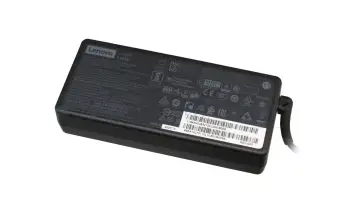
45N0501 original Lenovo AC-adapter 135.0 Watt extended
Small stock
59.92 $
incl. Tax (19%)
plus shipping charges

0G4G24 original Dell AC-adapter 65.0 Watt

0G4G24 original Dell AC-adapter 65.0 Watt
In stock
48.15 $
incl. Tax (19%)
plus shipping charges

671R3AA#ABB original HP USB-C AC-adapter 65.0 Watt rounded

671R3AA#ABB original HP USB-C AC-adapter 65.0 Watt rounded
In stock
48.15 $
incl. Tax (19%)
plus shipping charges

JNKWD original Dell AC-adapter 65.0 Watt slim

JNKWD original Dell AC-adapter 65.0 Watt slim
In stock
49.22 $
incl. Tax (19%)
plus shipping charges

All Lenovo laptop ac-adapters
All HP laptop ac-adapters
All Fujitsu laptop ac-adapters
All Acer laptop ac-adapters
All Asus laptop ac-adapters
All MSI laptop ac-adapters
All Medion laptop ac-adapters
All Dell laptop ac-adapters

Find the right notebook power supplies by model or features

Noch 8956 Produkte in Ihrem Filter

Search article by model name...


... or select via the model tree

finder
10 to 420
5 to 54
1.2 to 21
9 to 294
2.5 to 12
0.5 to 9
8956

Alternative for AD2037020 original Asus USB-C AC-adapter 45.0 Watt EU wallplug

Alternative for AD2037020 original Asus USB-C AC-adapter 45.0 Watt EU wallplug
In stockshipping today.Express shipping possible.
52.43 $
incl. Tax (19%)
plus shipping charges

Alternative for 00HM631 original Lenovo USB-C AC-adapter 45.0 Watt

Alternative for 00HM631 original Lenovo USB-C AC-adapter 45.0 Watt
In stockshipping today.Express shipping possible.
41.73 $
incl. Tax (19%)
plus shipping charges

Alternative for 00HM632 original Lenovo USB-C AC-adapter 45.0 Watt

Alternative for 00HM632 original Lenovo USB-C AC-adapter 45.0 Watt
In stockshipping today.Express shipping possible.
41.73 $
incl. Tax (19%)
plus shipping charges

Alternative for 40AW0045EU original Lenovo USB-C AC-adapter 45.0 Watt

Alternative for 40AW0045EU original Lenovo USB-C AC-adapter 45.0 Watt
In stockshipping today.Express shipping possible.
41.73 $
incl. Tax (19%)
plus shipping charges

Alternative for 4X20E75135 original Lenovo USB-C AC-adapter 45.0 Watt

Alternative for 4X20E75135 original Lenovo USB-C AC-adapter 45.0 Watt
In stockshipping today.Express shipping possible.
41.73 $
incl. Tax (19%)
plus shipping charges

Alternative for ADP-230DB D Delta Electronics AC-adapter 230.0 Watt slim

Alternative for ADP-230DB D Delta Electronics AC-adapter 230.0 Watt slim
Small stockshipping today.Express shipping possible.
134.82 $
incl. Tax (19%)
plus shipping charges

Alternative for PA-1231-08HT LiteOn AC-adapter 230.0 Watt slim

Alternative for PA-1231-08HT LiteOn AC-adapter 230.0 Watt slim
Small stockshipping today.Express shipping possible.
134.82 $
incl. Tax (19%)
plus shipping charges

Alternative for 535592-001 original HP AC-adapter 230.0 Watt slim

Alternative for 535592-001 original HP AC-adapter 230.0 Watt slim
Small stockshipping today.Express shipping possible.
134.82 $
incl. Tax (19%)
plus shipping charges

Alternative for 677765-001 original HP AC-adapter 230.0 Watt slim

Alternative for 677765-001 original HP AC-adapter 230.0 Watt slim
Small stockshipping today.Express shipping possible.
134.82 $
incl. Tax (19%)
plus shipping charges

Alternative for 677765-003 original HP AC-adapter 230.0 Watt slim

Alternative for 677765-003 original HP AC-adapter 230.0 Watt slim
Small stockshipping today.Express shipping possible.
134.82 $
incl. Tax (19%)
plus shipping charges

Alternative for 741344-001 original HP AC-adapter 230.0 Watt slim

Alternative for 741344-001 original HP AC-adapter 230.0 Watt slim
Small stockshipping today.Express shipping possible.
134.82 $
incl. Tax (19%)
plus shipping charges

Alternative for 817912-001 original HP AC-adapter 230.0 Watt slim

Alternative for 817912-001 original HP AC-adapter 230.0 Watt slim
Small stockshipping today.Express shipping possible.
134.82 $
incl. Tax (19%)
plus shipping charges

Alternative for ADP-230CB B Delta Electronics AC-adapter 230.0 Watt slim

Alternative for ADP-230CB B Delta Electronics AC-adapter 230.0 Watt slim
Small stockshipping today.Express shipping possible.
134.82 $
incl. Tax (19%)
plus shipping charges

Alternative for ADP-230CB F Delta Electronics AC-adapter 230.0 Watt slim

Alternative for ADP-230CB F Delta Electronics AC-adapter 230.0 Watt slim
Small stockshipping today.Express shipping possible.
134.82 $
incl. Tax (19%)
plus shipping charges

Alternative for AT895AA#ABB original HP AC-adapter 230.0 Watt slim

Alternative for AT895AA#ABB original HP AC-adapter 230.0 Watt slim
Small stockshipping today.Express shipping possible.
134.82 $
incl. Tax (19%)
plus shipping charges

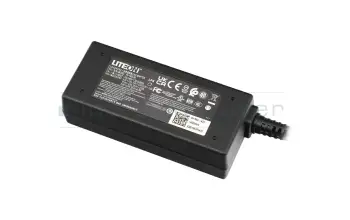
Alternative for PA-1121-04 LiteOn AC-adapter 120.0 Watt slim

Alternative for PA-1121-04 LiteOn AC-adapter 120.0 Watt slim
In stockshipping today.Express shipping possible.
59.92 $
incl. Tax (19%)
plus shipping charges

Alternative for 1J12J original Dell USB-C AC-adapter 45.0 Watt Small

Alternative for 1J12J original Dell USB-C AC-adapter 45.0 Watt Small
In stockshipping today.Express shipping possible.
58.85 $
incl. Tax (19%)
plus shipping charges

Alternative for ADP-280BB B Delta Electronics AC-adapter 280.0 Watt normal (ROG)

Alternative for ADP-280BB B Delta Electronics AC-adapter 280.0 Watt normal (ROG)
In stockshipping today.Express shipping possible.
79.18 $
incl. Tax (19%)
plus shipping charges

Alternative for ADP-180TB H Delta Electronics AC-adapter 180.0 Watt edged

Alternative for ADP-180TB H Delta Electronics AC-adapter 180.0 Watt edged
In stockshipping today.Express shipping possible.
69.55 $
incl. Tax (19%)
plus shipping charges

Alternative for 3PN48AA original HP USB-C AC-adapter 65.0 Watt rounded

Alternative for 3PN48AA original HP USB-C AC-adapter 65.0 Watt rounded
In stockshipping today.Express shipping possible.
48.15 $
incl. Tax (19%)
plus shipping charges

The latest notebook power supplies in our assortment

25.TNCM5.001 original Acer AC-adapter 180.0 Watt slim

25.TNCM5.001 original Acer AC-adapter 180.0 Watt slim
Small stock
63.13 $
incl. Tax (19%)
plus shipping charges

0A001-008106EM Dell AC-adapter 180.0 Watt square

0A001-008106EM Dell AC-adapter 180.0 Watt square
Small stock
95.23 $
incl. Tax (19%)
plus shipping charges

0A001-00802400 original Asus AC-adapter 280.0 Watt normal

0A001-00802400 original Asus AC-adapter 280.0 Watt normal
Small stock
88.81 $
incl. Tax (19%)
plus shipping charges

5A11Q29123 original Lenovo AC-adapter 245.0 Watt normal

5A11Q29123 original Lenovo AC-adapter 245.0 Watt normal
In stock
81.32 $
incl. Tax (19%)
plus shipping charges

AB.00.0021.47 original Segway AC-adapter 71.0 Watt EU wallplug rounded

AB.00.0021.47 original Segway AC-adapter 71.0 Watt EU wallplug rounded
In stock
72.76 $
incl. Tax (19%)
plus shipping charges

AB.50.0010.67 original Segway AC-adapter 70.0 Watt rounded

AB.50.0010.67 original Segway AC-adapter 70.0 Watt rounded
In stock
69.55 $
incl. Tax (19%)
plus shipping charges

AB.05.18.00.0004 original Segway AC-adapter 210.0 Watt small

AB.05.18.00.0004 original Segway AC-adapter 210.0 Watt small
In stock
84.53 $
incl. Tax (19%)
plus shipping charges

AB.05.14.00.0065 original Segway AC-adapter 36.3 Watt EU wallplug small

AB.05.14.00.0065 original Segway AC-adapter 36.3 Watt EU wallplug small
In stock
55.64 $
incl. Tax (19%)
plus shipping charges

0A001-01470300 original Asus AC-adapter 380.0 Watt square

0A001-01470300 original Asus AC-adapter 380.0 Watt square
In stock
179.76 $
incl. Tax (19%)
plus shipping charges

5A11Q29121 original Lenovo AC-adapter 400.0 Watt rounded

5A11Q29121 original Lenovo AC-adapter 400.0 Watt rounded
In stock
148.73 $
incl. Tax (19%)
plus shipping charges

How does the IPC-Computer "AC Adapter Finder" working?

First, when purchasing an AC Adapter, you need to find out the voltage and current values your notebook needs. A common error pattern of why the laptop is not charging after exchanging the power supply is that a AC Adapter with too little power has been selected. Luckily our AC Adapter Finder can help you find the right one. Additionally, this goes without much effort since you can easily filter out your suitable power supply with the technical data.

Laptop AC Adapter FAQ

Here you can find all questions and answers surrounding AC Adapters.

  • Can I use AC adapters / charging cables from other manufacturers?

    The answer depends on the connection type of your laptop:

    USB-C (USB Power Delivery): Yes, usuallywithout any problems.

    • USB-C uses the uniform USB Power Delivery (USB-PD) standard.
    • Function: The laptop and AC adapter automatically negotiate the correct voltage and current.
    • Important: The AC adapter must support the USB-PD standard and provide sufficient power (watts) .

    Classic round plug: No, only with caution.

    • The voltage, plug dimensions and polarity of round plugs are manufacturer-specific and differ.
    • Risk: A AC adapter that does not fit exactly can cause error messages, incompatibilities or damage .
    • Rule: Only use models with identical technical data from your laptop manufacturer.

    Tip & conclusion: USB-C is usually compatible. For manufacturer-specific plugs, you should use original AC adapters. Always avoid cheap replica AC adapters, as their quality can jeopardize safe operation.

  • Does every AC adapter fit every laptop?

    No - not every AC adapter fits every laptop. Even if many AC adapters look similar at first glance, they differ in terms of voltage (volts), current (amps), plug size and polarity. These values must match the respective laptop exactly, otherwise the device cannot charge or may even be damaged.

    Exception: USB-C chargers. With modern laptops with a USB-C port, you can often also use AC adapters from other manufacturers if they support the USB Power Delivery standard (USB-PD) and provide sufficient power. The laptop then automatically recognizes how much power it needs.

    In short:

    • For older round plug AC adapters: Only use models that fit exactly.
    • For USB-C AC adapters: Mostly compatible if performance and standard are right.
    • And very important: Do not use cheap replica AC adapters, as their quality and safety can vary greatly.

    You can find the right original AC adapter in the IPC-Computer Shop here.

  • How do I find out how much power (watts) my power supply unit has?

    You can find the power (watts) of your power supply directly on the rating plate/label - either the wattage is already on there (e.g. "90 W"), or you simply calculate it from volts × amps.


    Where can I find the information?

    The important technical data can be found

    • on the rating plate/label of your power supply unit (usually on the bottom or side of the unit)
    • They can often also be found on a label on your notebook

    Pay attention to the area labeled “Output”. There you will find

    • a voltage in volts (V), e.g. 19 V
    • a current in amperes (A), e.g. 4.74 A

    Only this output information is relevant for calculating the power.

    How to calculate the power (watts)

    Formula:

    Volt (V) × Ampere (A) = Watt (W)

    Example 1:

    • Output: 19 V and 4.74 A
    • Calculation: 19 V × 4.74 A = 90.06 W
    • Result: The power supply unit has an output of approximately 90 watts (commercially rounded to 90 W).

    Example 2:

    • Output: 18.5 V and 3.5 A
    • Calculation: 18.5 V × 3.5 A = 64.75 W
    • Result: This is a 65 watt power supply unit.

    Therefore, you do not need to focus on the decimal places - the important thing is the rounded wattage (e.g. 45 W, 65 W, 90 W, 120 W etc.).

  • How do I find the right AC adapter in the IPC Shop?

    It's very easy - in just a few steps:

    1. Enter your laptop model:
      Enter the exact model of your laptop in the search field at the top of the IPC Computer website (e.g.Lenovo ThinkPad T14 or HP ProBook 450 G7).
    2. Select the AC adapter product group:
      In the results list, you will find the AC adapters directly after the batteries.
    3. Compare performance:
      If your model is offered with several AC adapters (e.g. 65 W or 90 W), take the AC adapter that has the same output as your previous AC adapter.
      - This output is usually written on the old AC adapter in the "Output" line (e.g. 19.5 V - 3.34 A = 65 W).
    4. No more old AC adapter?
      No problem: Look on the bottom of your laptop for the entry "DC Rating"or "Input " - there you will find the voltage (V) and current (A). These values give you the required power (V × A = W).
    5. Select original:
      In our store, you will only be shown original AC adapters that are an exact technical match for your model. This means you are on the safe side when it comes to performance and compatibility.

    Tip: If you are unsure, you can also send the name of your device or photos of the rating plate of the old AC adapter to our service team - we will help you find the right AC adapter free of charge.

  • I have a 65 watt AC adapter, can I also use a 90 watt AC adapter?

    Yes, this is usually possible without any problems.

    The most important rule: The voltage (V) and the plug connection must match your original AC adapter exactly.

    Advantages of higher power
    Your laptop only draws as much power as it needs. An AC adapter with a higher power reserve (e.g. 90 W instead of 65 W):

    • gets less warm.
    • works more efficiently as it is not constantly running at its load limit.

    Safety warning

    • Originality: Only use original AC adapters approved by the manufacturer for your model or high-quality spare parts. Cheap replicas can deliver slightly different voltage values or not communicate correctly with the charging electronics - this can damage the battery and mainboard.
    • Conversely, an AC adapter with fewer watts (65 W for a 90 W laptop) can result in your battery not charging or the device suddenly switching off under load.
    • Find your AC adapter: You can find suitable AC adapters (original & tested) here in the store.
  • My AC adapter/charging cable gets quite hot, is that normal?

    A little heat is completely normal during operation. Waste heat is always generated when converting the mains voltage - especially if you are working and charging the battery at the same time.

    As long as the AC adapter feels lukewarm to moderately hot (up to around 50-60 °C) and there are no unusual noises, smells or discoloration, this is not critical with an original AC adapter.

    Caution with replicas

    Replica AC adapters often use inferior components and are not precisely matched. They can therefore

    • become significantly hotter.
    • deliveruneven voltage.
    • in the worst case, overheat, which poses a safety risk.

    Our recommendation: Only use original AC adapters. They are technically matched exactly to your device and meet the highest safety standards.

  • My battery is no longer charging. Could this be due to the AC adapter?

    If your laptop battery no longer charges, this can have various causes. Often the problem is not with the battery itself, but with the AC adapter, the charging electronics or the software settings.

    Possible reasons:

    • The AC adapter or cable is defective or not connected correctly.
    • Contacts or plug connections are loose or dirty.
    • An outdated BIOS or faulty drivers are impairing the charging function.
    • The battery is actually defective and should be replaced.
    • The charging electronics in the laptop are defective.
    • A battery protection mode is active in Windows or in the BIOS that limits charging.
    • The power socket is defective and often has a loose contact when the plug is moved, or it is located unusually deep in the device.
  • My laptop is not charging with the USB-C power adapter. What is the reason for this?

    If your laptop does not charge via USB-C, this is usually not due to a defect, but to compatibility or performance problems. USB-C uses the power delivery standard (USB-PD), which must be supported by both devices.

    The most common causes:

    • Too little power: For example, your AC adapter only delivers 45 W, but your laptop requires 65 W or more.
    • Unsupported protocol: The AC adapter or laptop do not speak the same USB PD standard.
    • Poor or defective USB-C cable: Not every cable transmits the required power - especially with fast charging functions.
    • Dirty or damaged USB-C port: Dust or scratches in the port prevent a stable connection.
    • Firmware or BIOS settings: Some manufacturers disable USB-C charging in the BIOS or limit it in case of overheating.

    Troubleshooting tips:

    1. AC adapter check: Always use a USB-C AC adapter with sufficient power and USB-PD certification.
    2. Cable test: If problems occur, test another certified cable.
    3. System reset: If the laptop is still not charging with the original USB-C power adapter, a BIOS update or a brief power reset (disconnect the battery and power adapter, press and hold the power button for 30 seconds) will often help.

    Caution: You can tell that charging is working if the charging indicator reacts immediately and the AC adapter clicks or hums briefly. If this does not happen, there is almost always a compatibility problem.

  • What happens if you use the wrong charger?

    This depends on how wrong the charger is - but the basic rule is: a wrong power supply can seriously damage your laptop.

    Possible consequences:

    • Insufficient power (watts): The laptop only charges very slowly or not at all, switches off under load or, in the worst case, the AC adapter overheats.
    • Voltage (volts) too high or too low:Electronic damage to the mainboard or battery may occur - in some cases immediately, in others only after some time.
    • Incorrect plug or polarity: The device receives no power or short circuits occur or the power socket is damaged (e.g. PIN breaks).
    • Non-certified replica power supplies: They often supply inaccurate voltages, use inferior components and can therefore overheat, melt or even cause fires.

    With USB-C devices with the Power Delivery standard, the risk is lower as the laptop and charger automatically negotiate how much voltage is allowed to flow. A non-compatible AC adapter will usually simply not charge - the only danger here is with cheap replicas without PD certification.

    Conclusion:
    The wrong charger can lead to anything from harmless charging errors to permanent device damage. For maximum safety and a long service life of your laptop, you should always use an original AC adapter for your laptop. The easiest way to find this is to search for the laptop model in the IPC Shop.

  • What makes a GaN AC adapter special?

    Inside a AC adapter are components that convert the mains voltage (e.g. 230 V) into the right voltage for your laptop. GaN AC adapters use gallium nitride semiconductors for this purpose.

    This has several advantages:

    1. Smaller & lighter
      • For the same output power (e.g. 65 W, 100 W or 240 W), a GaN AC adapter can be built much more compactly.
      • Ideal for on the go, in the home office or if you have little space in your bag.
    2. Higher efficiency, less waste heat
      • GaN components work more efficiently, so less energy is lost in heat.
      • Although the AC adapter does get warm under load, it generally runs more smoothly and can be more durable.
    3. High performance in a small space
      • Very powerful AC adapters (e.g. 100 W, 240 W) are also possible with GaN in a relatively small form factor .
      • This is exciting if you want to operate a powerful laptop, a docking station or several devices with one AC adapter.

    Important: GaN AC adapters are currently still somewhat more expensive than conventional laptop AC adapters. The combination of compact form factor and proven quality makes them an attractive choice for many customers.

  • What types of mains plugs can I order for the power cable (for operation abroad)?

    If you want to use your laptop abroad, you can select the appropriate power cable with country-specific power plug for many of our AC adapters

    • Ordering process: When ordering, specify the country in which you would like to use the power adapter if you do not require the standard German plug (type C/F). The selection is made directly in the product view or in the shopping cart, depending on the AC adapter/cable type.
    • Flexibility: You can simply order an additional power cable with a different country plug for an existing power adapter - ideal for traveling or permanent use abroad.

    → Power remains the same: The power (watts) and output voltage of your AC adapter remain the same - only the plug to the wall socket differs.

    Typical mains plug types (selection)

    Plug typeStandard inRemark
    Schuko / Euro plug (type C/F)Germany, Austria, Netherlands, many other EU countriesUsually the cable that comes with your original AC adapter in Germany.
    UK plug (type G)Great Britain, Ireland, Malta, Cyprus, etc.Rectangular, three-pin plug shape.
    US plug (type A/B)USA, Canada, partly Central and South America, Japan (partly slightly different)Two flat contacts (possibly with additional earthing contact).
    CH plug (type J)Switzerland, LiechtensteinThree round pins in a characteristic arrangement.

    Important test points:

    • Check input voltage: Before traveling, make sure that your AC adapter supports 100-240 V input voltage (can be found on the type plate under "Input"). This is almost always the case with current AC adapters.
    • Note the cable type: Make sure you order the correct cable for the AC adapter socket (e.g. Mickey Mouse plug, cloverleaf, 2-pin).

    Our quality promise: According to surveys, our customers attach great importance to safety, compatibility and ease of selection, which is why we specifically stock original parts and tested quality goods - including accessories such as power cables.

  • Why are different power supply units listed for my laptop model - which one should I order?

    For many laptop models, several suitable AC adapters are displayed in the store. This is normal and has technical reasons, but can quickly lead to uncertainty ("Which one is the right one?").

    Basically, all AC adapters displayed for your device are compatible, but differ in terms of

    • Output (watts): e.g. 45 W, 65 W, 90 W, 120 W, 180 W ...
    • Connection type: classic round plug, proprietary plug, USB-C etc.
    • Design & technology: compact, flat, GaN technology

    What is GaN?
    GaN stands for gallium nitride -a modern semiconductor material. GaN AC adapters can be

    • besignificantly smaller and lighter
    • often work more efficiently (less heat loss)
    • are therefore ideal for traveling or if you simply want a more compact AC adapter

    Technically, they fully replace classic power supplies. The only important thing is that the power (watts) and connection type match your laptop.


    How to choose the right AC adapter

    1. pay attention to the power (watts)

    • Check your old AC adapter: Look for the power rating in watts (W)
    • If only volts (V) and amps (A) are specified, you can calculate it:

    Volt × Ampere = Watt

    Recommendation:

    • A power supply with the same wattage is a safe 1:1 replacement
    • You should avoid using a power supply with less watts than your original - the device may become unstable or the battery may only charge very slowly.

    2. round plug or USB-C / Power Delivery (PD)?

    In the past, most laptops were only supplied with a classic round plug power supply. Today, many models also support charging via USB-C with Power Delivery (PD) - even if a round plug power supply was included in the original scope of delivery.

    This means for you:

    • If your laptop has a USB-C port with charging/PD support, you can in many cases
      charge it with a suitable USB-C power adapter, even if a round plug power adapter was originally included.
    • Prerequisite:
      • the USB-C port on your laptop supports charging/PD
      • the USB-C power supply provides enough watts (at least as much as your original power supply or as recommended by the manufacturer)

    Advantages of USB-C / PD AC adapters:

    • Often more universally applicable (laptop, tablet, smartphone, docking station)
    • Usually more compact and lighter in combination with GaN technology
    • Ideal for traveling or mobile working

    If you don't feel like experimenting, simply stick with the plug type of your current power supply (e.g. classic round plug). If you want to be more modern and flexible, you can consciously switch to a USB-C PD power supply - provided your device supports USB-C charging.

  • Why does the power supply plug from my new AC adapter not fit into my laptop, even though the part number is identical?

    This is almost always because you have ordered according to the OEM manufacturer number of the AC adapter manufacturer (e.g. Delta, LiteOn) - and not according to the number of the laptop manufacturer.

    Technically, these AC adapters are often identical (voltage, power, design), but the connector to the laptop may differ depending on the brand and model.

    • The OEM P/N (e.g. ADP-90MD H) primarily describes the AC adapter internally (electronics, performance) - not clearly the plug.
    • Therefore, the same OEM number can be in circulation with up to several different plug variants.
    • Example: The P/N "ADP-90MD H" is supplied by Acer with a 5.5 mm / 1.7 mm plug, other brands use a 5.5 mm / 2.5 mm plug with the same P/N - visually very similar, but not matching.

    Therefore it can happen that:

    • the OEM model number is correct,
    • but the plug does not fit into your laptop.

    To avoid such incorrect orders, we recommend that you

    1. Always order using the exact laptop model or the original manufacturer number of the laptop manufacturer.
      This is the only way we can be 100% sure that the plug really fits and that the power supply is compatible.
    2. If you only have the OEM P/N:
      Use our overview page of duplicate OEM numbers - where we show all variants (different plugs) for an OEM number and which of them fit which laptop.
  • Why is my AC adapter humming?

    Modern laptop AC adapters are so-called switching AC adapters - they work with very high switching frequencies and should function practically silently. If you still hear a humming, hissing or whirring noise, this is not normal and often indicates a technical defect or inferior components.

    Typical causes are

    • loose or poorly potted coils and capacitors,
    • incorrect switching frequency or inadequate filtering,
    • component wear or voltage problems in the mains supply.

    Such noises hardly ever occur with original AC adapters as they undergo strict quality and safety tests. Replica AC adapters, on the other hand, often use simple components without sufficient interference suppression - here, humming or hissing is a clear warning sign.

    Important: If an AC adapter hums or hisses audibly, stop using it!

    Disconnect it from the AC adapter immediately and dispose of replica AC adapters immediately, as they can pose a safety risk. Only use original AC adapters to ensure a stable, quiet and safe power supply for your laptop.

  • Why should I buy an OEM Delta AC adapter from IPC-Computer?

    With Delta AC adapters, you get quality from the world market leader - and with us, several advantages at once:

    • Worldwide proven manufacturer:
      Delta Electronics has been producing AC adapters for all major laptop brands such as HP, DELL, Lenovo, ACER, Asus etc. for years. So you get technology that all the manufacturers themselves trust.
    • Tested compatibility:
      Every Delta AC adapter on offer has been tested by us for 100% compatibility with the respective laptop models and fully replaces your original AC adapter.
    • Direct importer = strong price:
      We source Delta AC adapters directly from the manufacturer - without any detours. This gives you the best prices for original quality.
    • Fast delivery & ready for immediate use:
      Orders placed by 3 p.m. are usually dispatched on the same day. The matching power cable is already included - plug it in and get started.
    • 24-month warranty:
      All Delta AC adapters that we sell come with a 2-year IPC Computer warranty - including German support.
    • Volume discounts for professionals:
      We offer attractive discounts and our own dealer program for larger quantities (e.g. for companies, schools or IT dealers).

    If you are looking for a high-quality, attractively priced and absolutely reliable replacement AC adapter, OEM Delta AC adapters are the ideal choice.

    View Delta AC adapters directly at the direct importer IPC-Computer

  • Why should you buy AC adapters from IPC-Computer?
    • Huge selection & availability
      With over 100,000 laptop AC adapters in stock, so we can supply practically any model.
    • Only original quality
      We only stock high-quality original AC adapters directly from manufacturers such as Acer, Asus, Dell, Fujitsu, HP, Lenovo etc. - no risky no-name replicas or grey goods.
    • Top prices thanks to direct procurement
      Thanks to direct procurement and bulk purchasing, excellent value for money without compromising on quality.
    • Ready for immediate use
      Every AC adapter comes with a free charging cable - unpack it, plug it in and you're done - at no extra charge!
    • Fast shipping
      If you order by 2 p.m., we will usually ship your AC adapter on the same working day

    This means you get exactly the right AC adapter for your laptop quickly and reliably - without having to experiment.

    Find suitable laptop AC adapters in the IPC-Computer Shop.

  • Why should you only use original AC adapters and not replica AC adapters?

    Many years of experience in laptop repair clearly show that you should use original AC adapters or tested branded AC adapters wherever possible and not cheap replicas because:

    • Safety:
      High-quality AC adapters have tested protective circuits and deliver a stable voltage. Cheap replicas often cut corners here - in the worst case, this can damage the electronics or the battery.
    • Compatibility:
      Original AC adapters are precisely matched to your device (voltage, power, plug, recognition by the lapptop). With "any" replicas, problems such as "AC adapter is not recognized", "does not charge properly" or performance drops under load occur more frequently.
    • Reliability:
      A good AC adapter should simply work inconspicuously. Original or OEM AC adapters are generally more durable and fail-safe than very cheap no-name products, which often lack quality and final inspection.
    • Cost-effectiveness:
      The surcharge for an original AC adapter is significantly lower than the costs for a possible repair of the mainboard, charging electronics or battery. You also save yourself the hassle of returns and incorrect purchases.

    The bottom line is that an original or OEM AC adapter is often a little more expensive, but you get maximum safety, full compatibility and less risk - and that is precisely what is crucial for a safety-relevant component such as the AC adapter.

    → In the Store section "AC adapters for laptops" you will find a large selection of original and tested quality AC adapters.

  • Will my battery charge faster with an AC adapter that has more power?

    No, just because the AC adapter has more watts, your battery will not automatically charge faster. The decisive factor is the power required by your laptop and the permissible power of the charging electronics - not the maximum power of the AC adapter.


    How does charging work technically?

    • Every laptop has built-in charging electronics that regulate exactly
      • how much current flows into the battery and
      • how quickly or gently the battery is charged.
    • The AC adapter only provides the maximum possible power - it does not "force" this power into the laptop.
    • Your laptop only "takes" as much power as it is designed for.

    This means:
    If your laptop is only designed for 65 W, for example, a 90 W or 120 W AC adapter alone will not provide a turbo charging. The device limits the charging current itself.